Sky's engineering teams were tracked in a spreadsheet. Five of us built a web app to replace it: find any team, see who it depends on, message them and book a meeting.
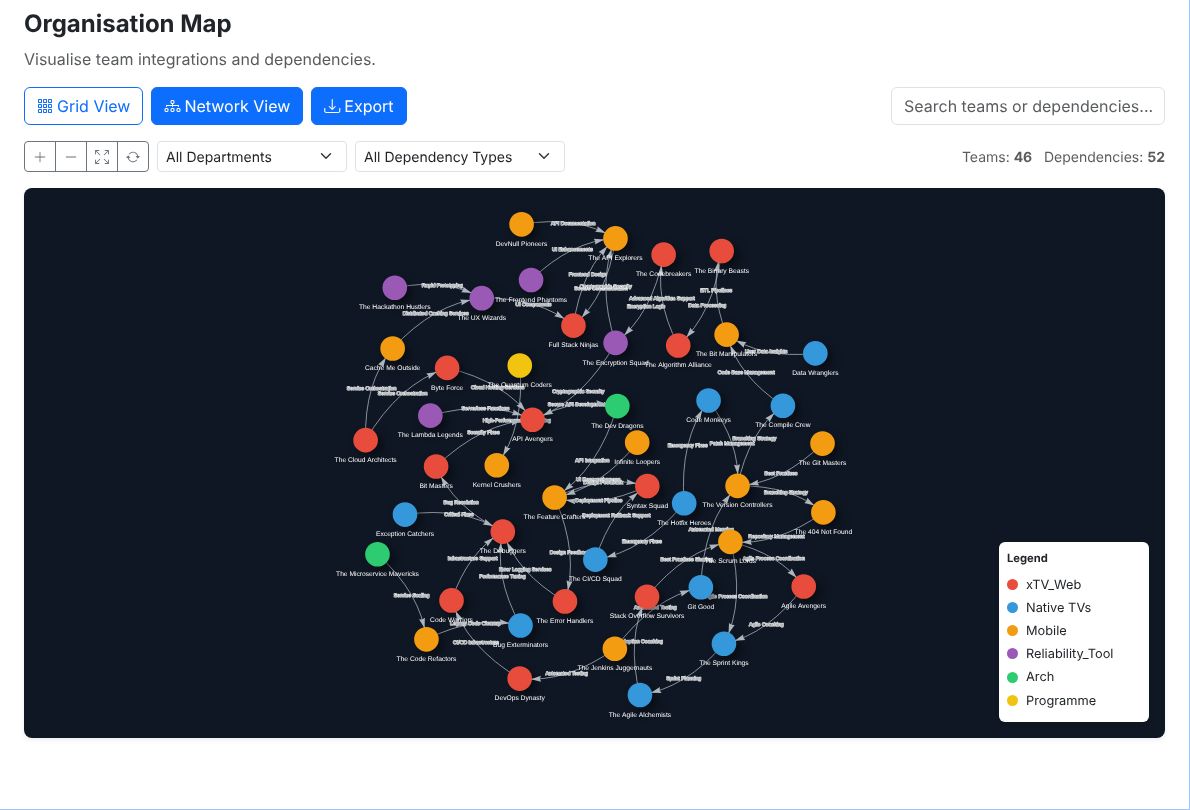
The organisation map I built. 46 teams, coloured by department, and the 52 dependencies between them. Filter by department or dependency type, search, click a team for its details, or export the map as an image.
5people
70of 119 commits mine
46teams on the map
52dependencies
What it does
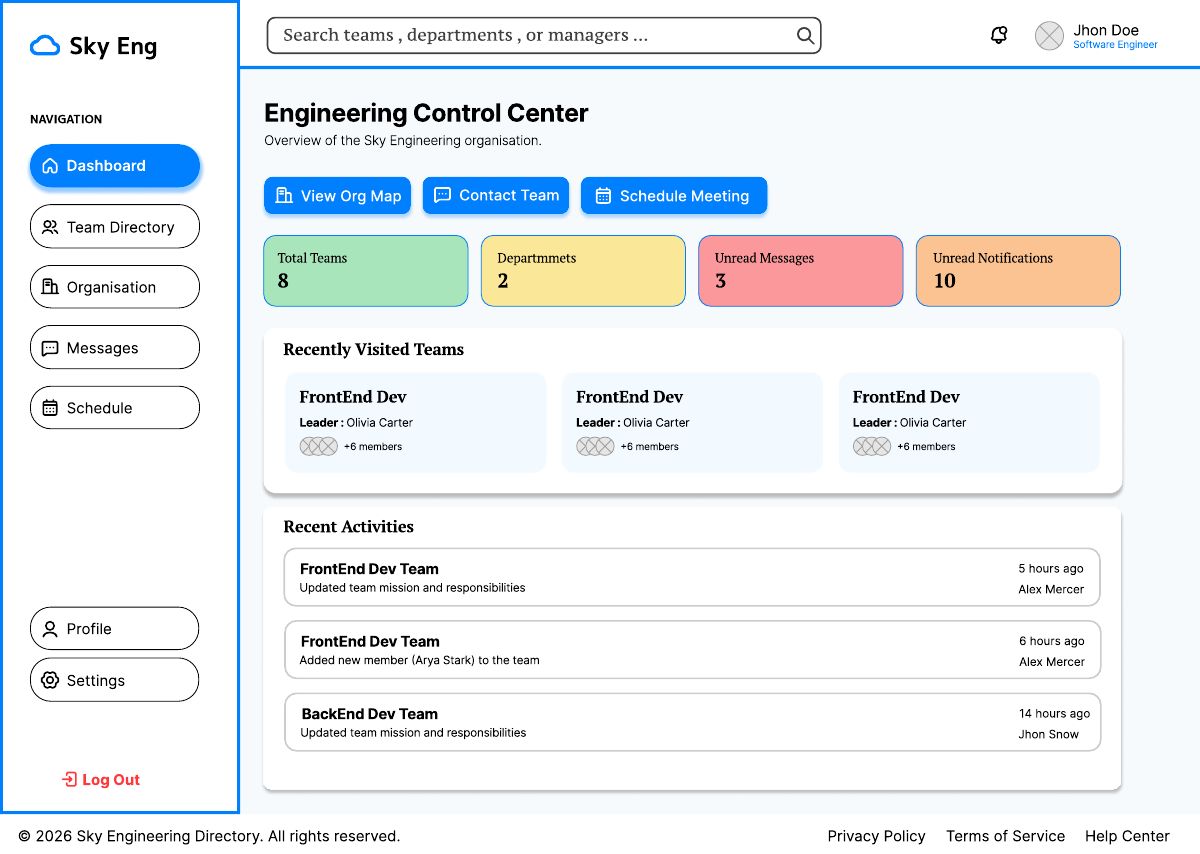
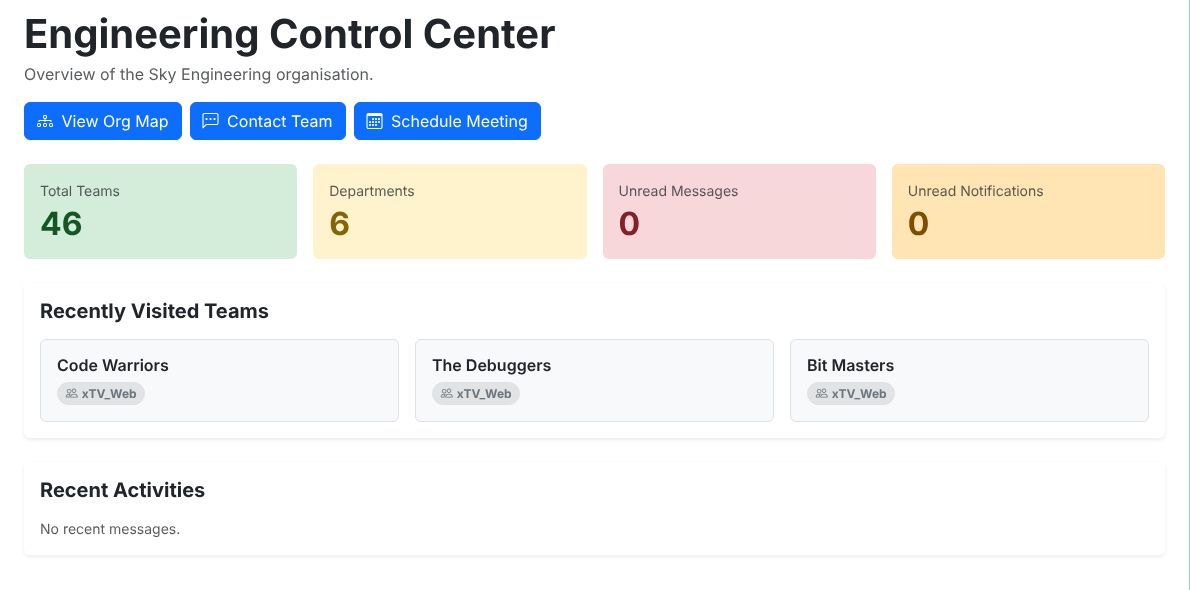
Dashboard. Total teams, departments, unread messages, recently visited teams and recent activity.
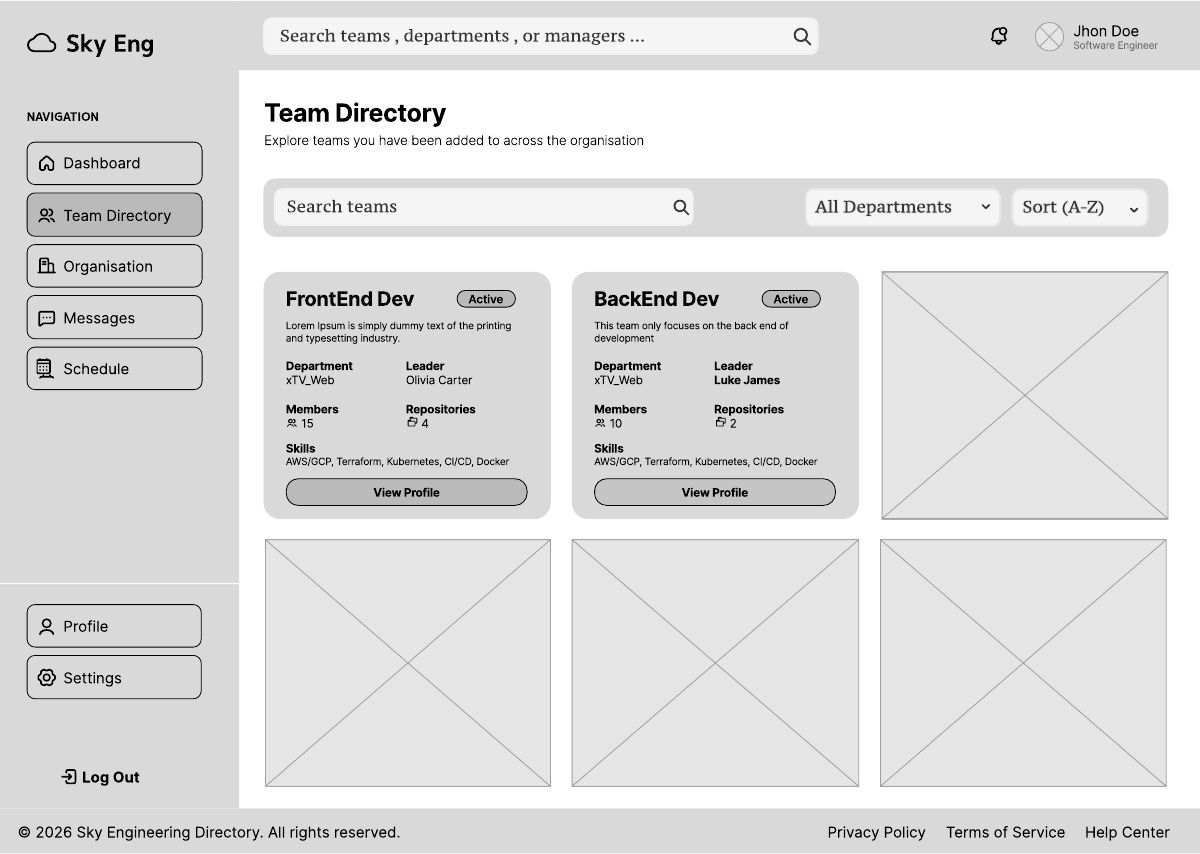
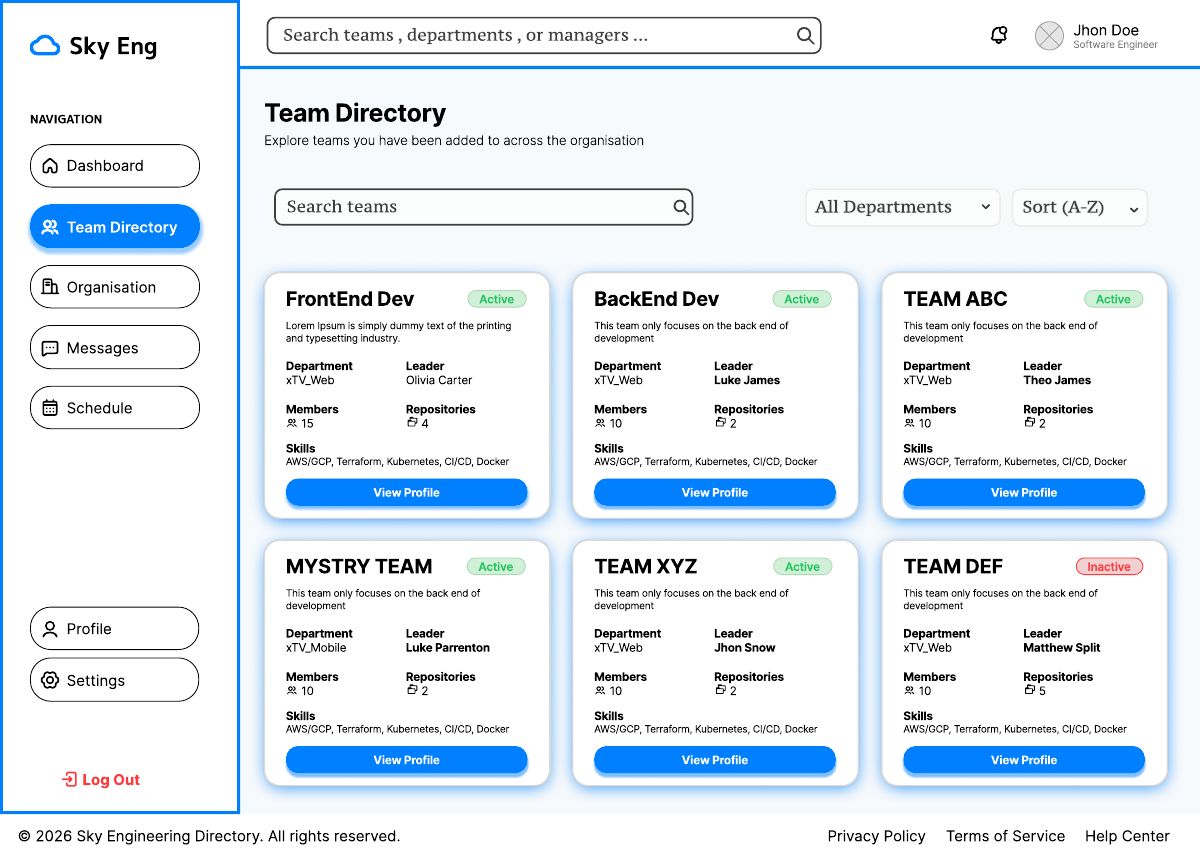
Teams. Search and filter every engineering team, then open one to see its mission, manager, members, code repositories and dependencies.
Organisation. An interactive network map of how teams depend on each other.
Messages. Inbox, sent, drafts and compose, for messages between teams.
Schedule. A calendar, upcoming meetings and a form to book one.
Accounts. Register, log in, reset a password and update a profile. Every other page sits behind a login.
Designing it
I led the interface design. I drew the low fidelity wireframes in Figma, three storyboards showing complete journeys (sign up and log in, find a team, then message or book a meeting with it), and then the high fidelity designs, refined with feedback from the group and our tutor.
The users are engineers, managers and non-technical staff, so the rules were simple: a fixed sidebar with the current page highlighted, search at the top because finding a team fast was the main requirement, team cards with tabs for overview, members, repositories and dependencies, and colour only where it means something.
The Team Directory, from wireframe to high fidelity design in Figma.
Sky Portal · Dashboard
The dashboard as designed, and as built.
Building it
Django and SQLite, with each of us owning a section. I built:
The organisation map. Two views: one renders the page, the other is a JSON endpoint that vis.js calls whenever a filter changes, so the graph redraws without reloading the page. It only draws an arrow when both teams are visible, so filtering never leaves arrows pointing at nothing. Around it: a grid view, search that highlights matching teams, zoom controls, a legend, a side panel for each team, and PNG export.
The dashboard, reading live counts from the teams and messages data.
The base template, sidebar and top bar. I built these first, in the first days, so every other page could extend them and look the same.
Holding it together
The repo was mine, so I reviewed and merged the team's pull requests from feature branches into a shared dev branch, then into main. And when the parts did not fit, I fixed them:
Real data. Nobody had loaded any, so every page was empty. I wrote a command that seeds the database from the original spreadsheet.
The data model. I replaced the simple team members link with a proper team member table that can store roles, added the fields the spreadsheet had, and reset the migrations that were conflicting between us.
The knock-on effects. That change broke the teams pages and the schedule at once. I fixed all of them in the same pull request rather than leave the app unable to run.
Security. Every page was public. I added a global login wall and CSRF protection, and kept the login and sign-up pages open.
Loose ends. Missing URL routes, duplicate settings, a profile page that crashed for some users, and a syntax error in the meeting delete view.
The team
Vinicius designed the ERD and built the teams pages. Muhammed designed the database. Hamdan built messaging and wrote the user test plans. Shqipdon built scheduling and wrote the admin test plans.